geteduroam App: Connecting to eduroam (Android/iOS)
The geteduroam app for Android and Apple iOS devices can assist users with connecting to the eduroam wireless network. It is developed and maintained by several European organizations.
Eduroam - GetEduroam information
Important: the geteduroam app can only create the eduroam network profile on users’ devices. It DOES NOT check for the validity of users’ credentials. Therefore, users must ensure that the usernames and passwords are typed in correctly; otherwise, users will still get rejected from the eduroam network for invalid account credentials.
To Use GetEduroam:
1. Download and install the geteduroam app from the Google Play store or Apple App Store. Be sure to check that the developer or seller is SURF B.V.
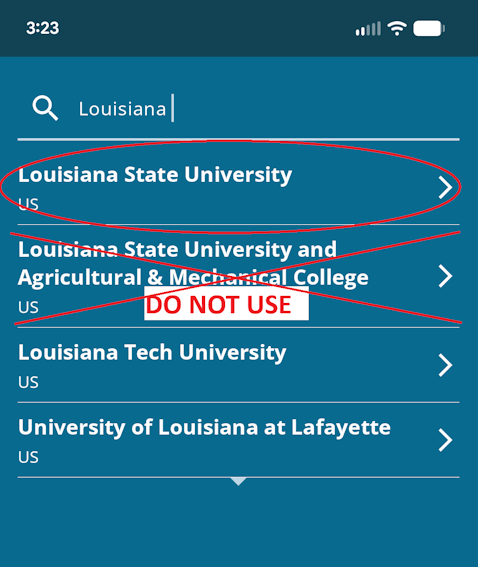
2. In the Search for your organization field, type in "Louisiana State”. Click on the Louisiana State University entry that appears.
NOTE: DO NOT click on the separate “Louisiana State University and Agricultural & Mechanical College”
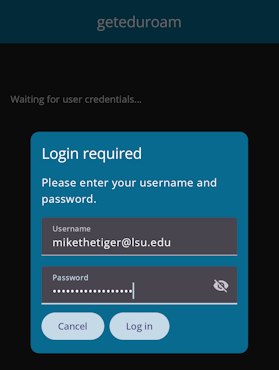
3. Next, enter your primary myLSU ID with @lsu.edu at the end, then click the Log In button. Please don’t use your vanity e-mail address as your username.
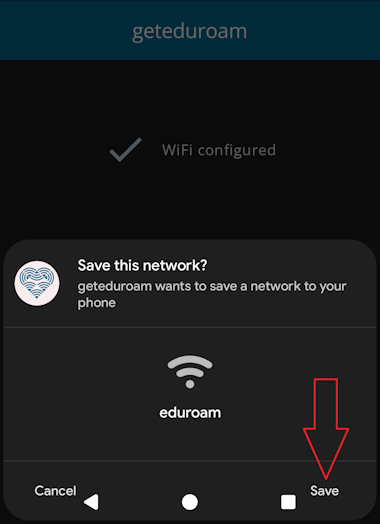
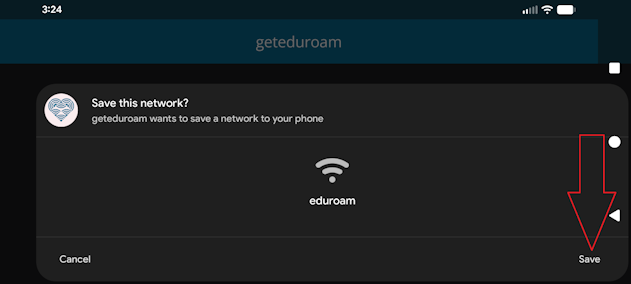
4. Click the Save button when it asks you to Save this Network; otherwise the eduroam profile will not be added.
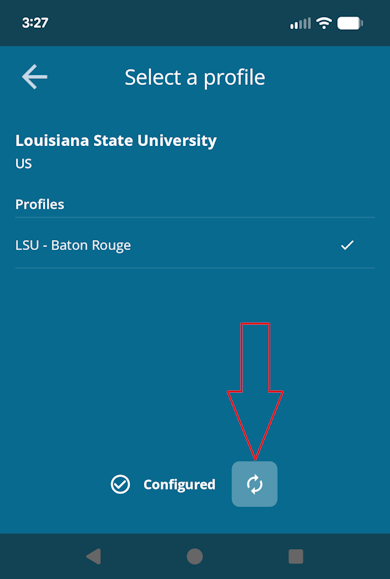
5. Finally, if the eduroam network profile is no longer on your phone but you still have the geteduroam app installed, launch the app and click on the refresh button at the bottom of the screen:
20719
9/30/2026 4:23:05 PM